
Bringing Agentic AI to Player Support
Designer and engineer
4 months
EA’s help desk had high bounce rates and low task success, causing long wait times and increased support costs. We redesigned the experience to help customers find answers on their own, boosting task success from 20% to 70%, reducing tickets routed to advisors by 45%, and earning recognition as EA’s “Best Intern Design Project.”
Research objective
Understand customers expectations of a help desk, why they come to the site now, and why the current experience is leading them to leave the self-service search without getting an answer.
General help desk competitive analysis
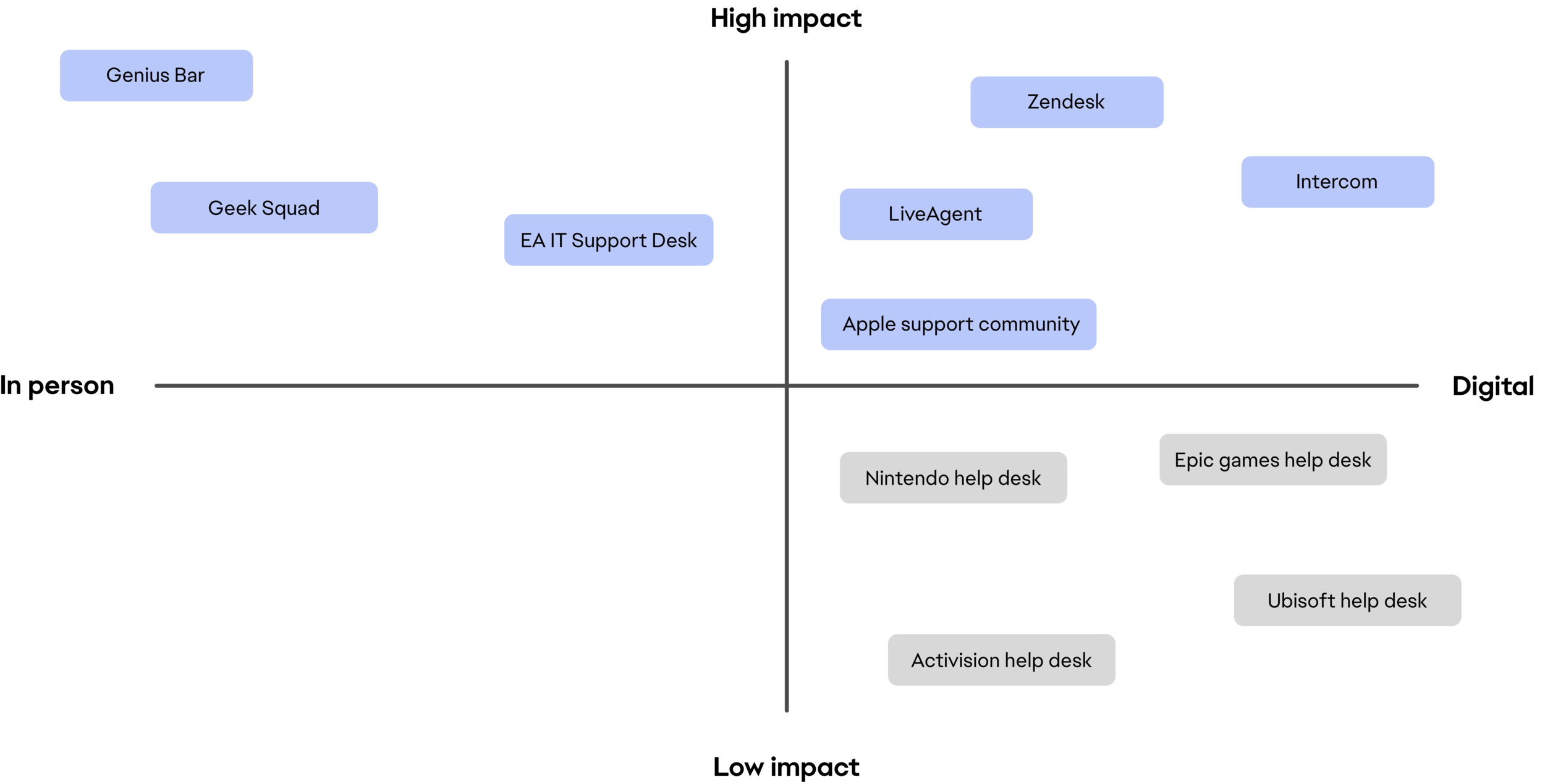
We looked through products, services, and methods people use to find help and answers to their technical questions, laying them out on matrices to measure impact.
Our findings showed that the highest-impact experiences featured stellar customer service and digital tools empowering users to find answers independently before needing human assistance.
Gaming company help desk competitive analysis
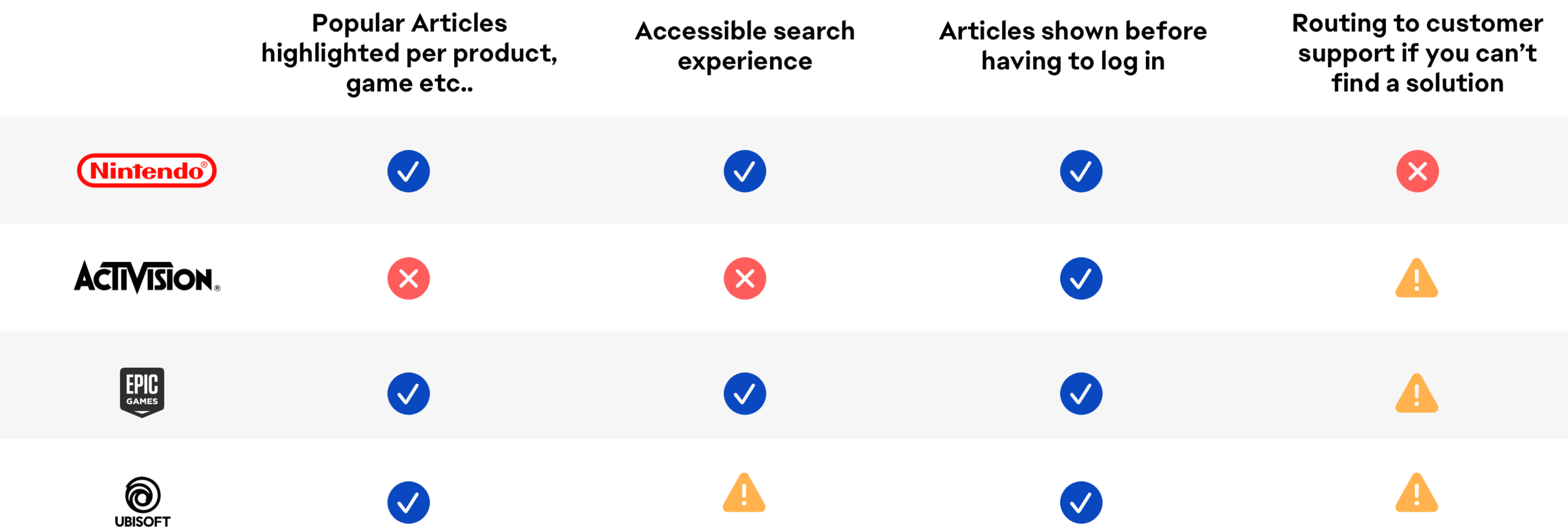
Comparing other large gaming company help desk experiences helped us understand competitor methods for assisting customers. Since most of EA’s customers also use other gaming companies' services, this was crucial.
By understanding how other companies get answers for their players, we gained insight into common user flows, guiding our product enhancements. While all help desks were self-service focused, they assumed users would search through massive answer forums.
Listening and engaging with users and stakeholders through interviews
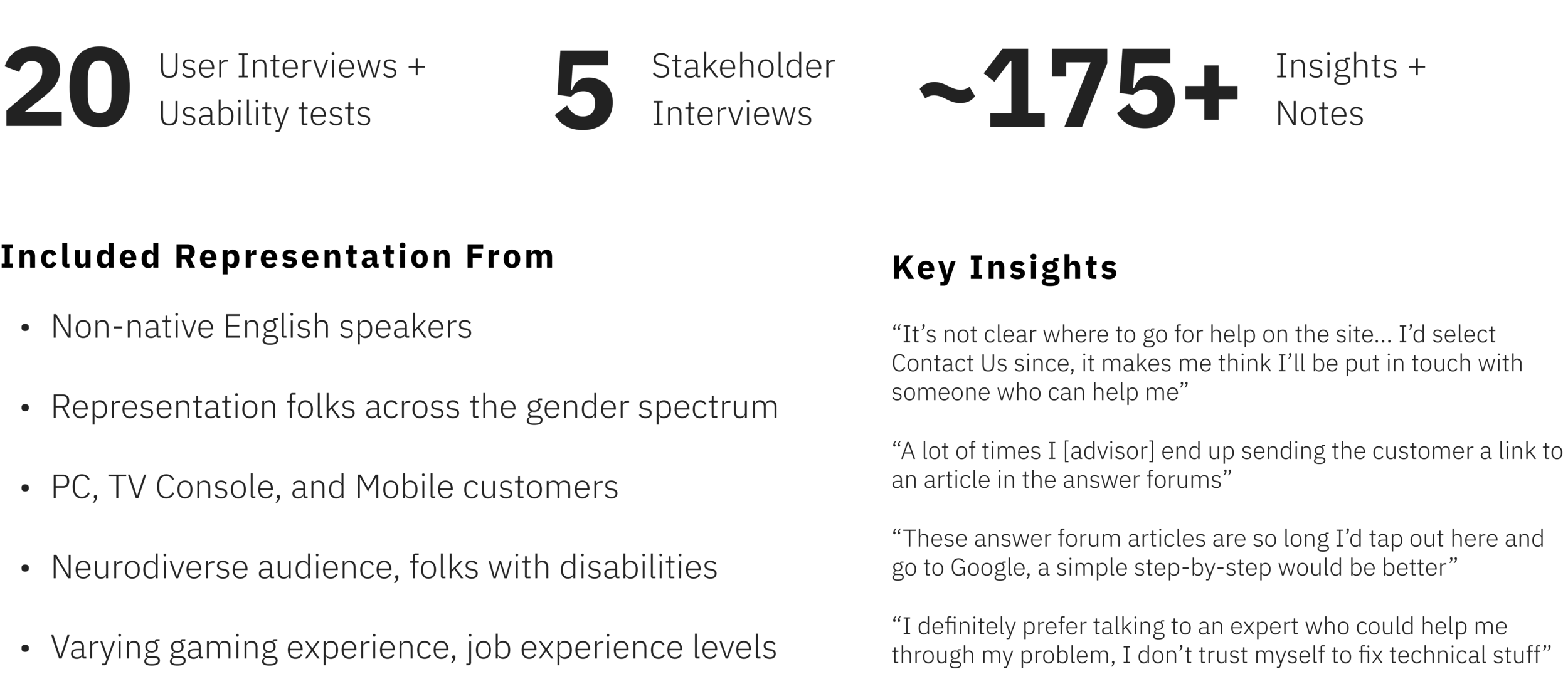
In order to understand the experience from our customer and stakeholder perspective we recruited a group of 25 subjects both internally and externally to EA.
20 EA customers
5 EA Help Desk Advisors.
‘How might we’ statements
Through a series of 25 interviews and 20 usability tests with customers and advisors we were able to fully empathize and understand the journey and painpoints of their experiences.
We recorded and transcribed all interviews to sort verbatim quotes into an affinity diagram, which lead us to four main how-might-we statements to guide our ideation process

Empathy driven personas and mindsets
Our team saw a pattern in the user data suggesting different mindsets when it comes to customers seeking help.
These mindsets include rational and emotional minded users and how they react to being empowered or disempowered when seeking out help or answers.
By designing within this framework of the rational and emotional minds, all perspectives are considered.
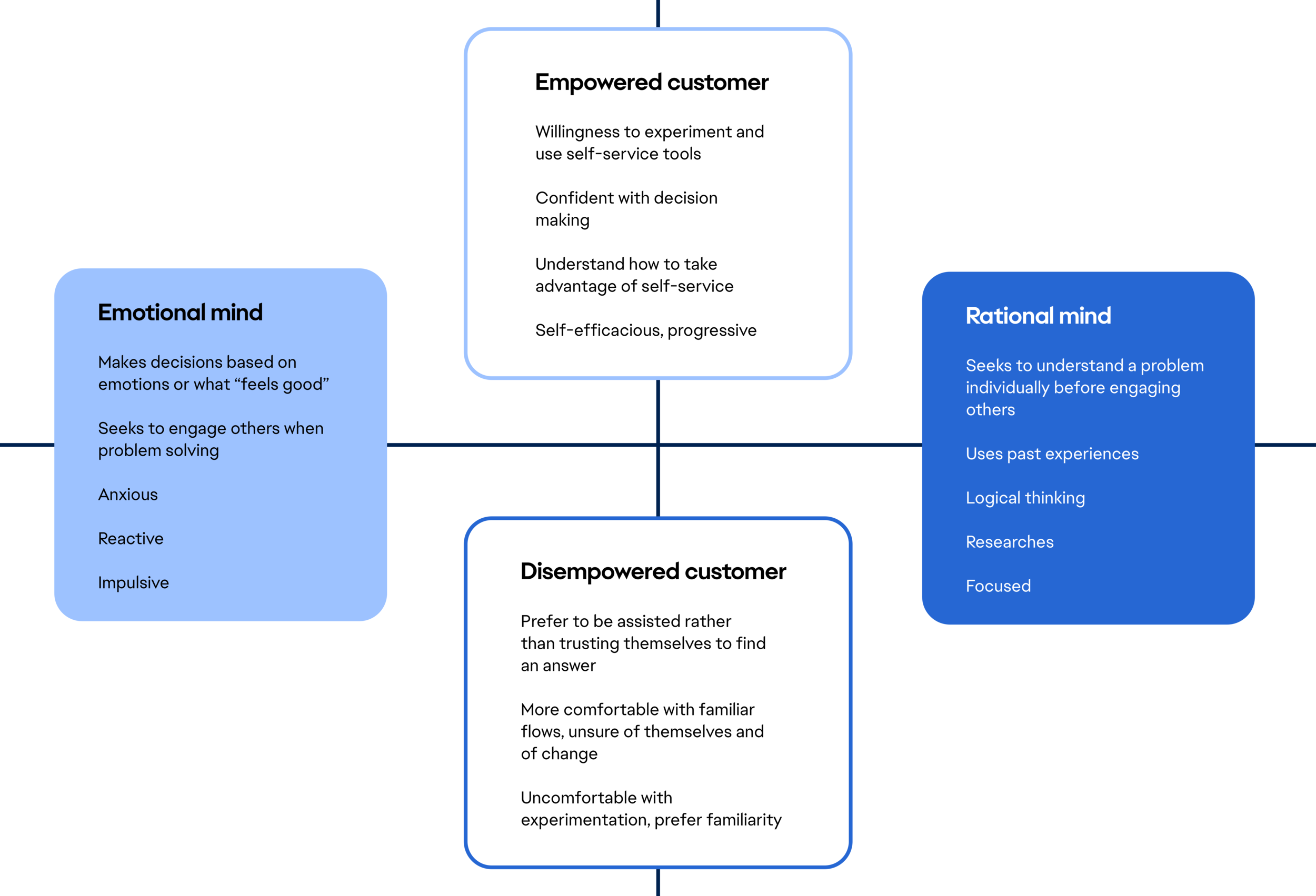
Persona mindset matrix
We felt that creating one or two persona’s for customers was too one dimensional since EA’s customer base varies so much in demographic and we were only able to interview so many people.
Creating a matrix of mindsets helped us to create multi-dimensional personas to determine potential pain points, growth opportunities, and outcomes.
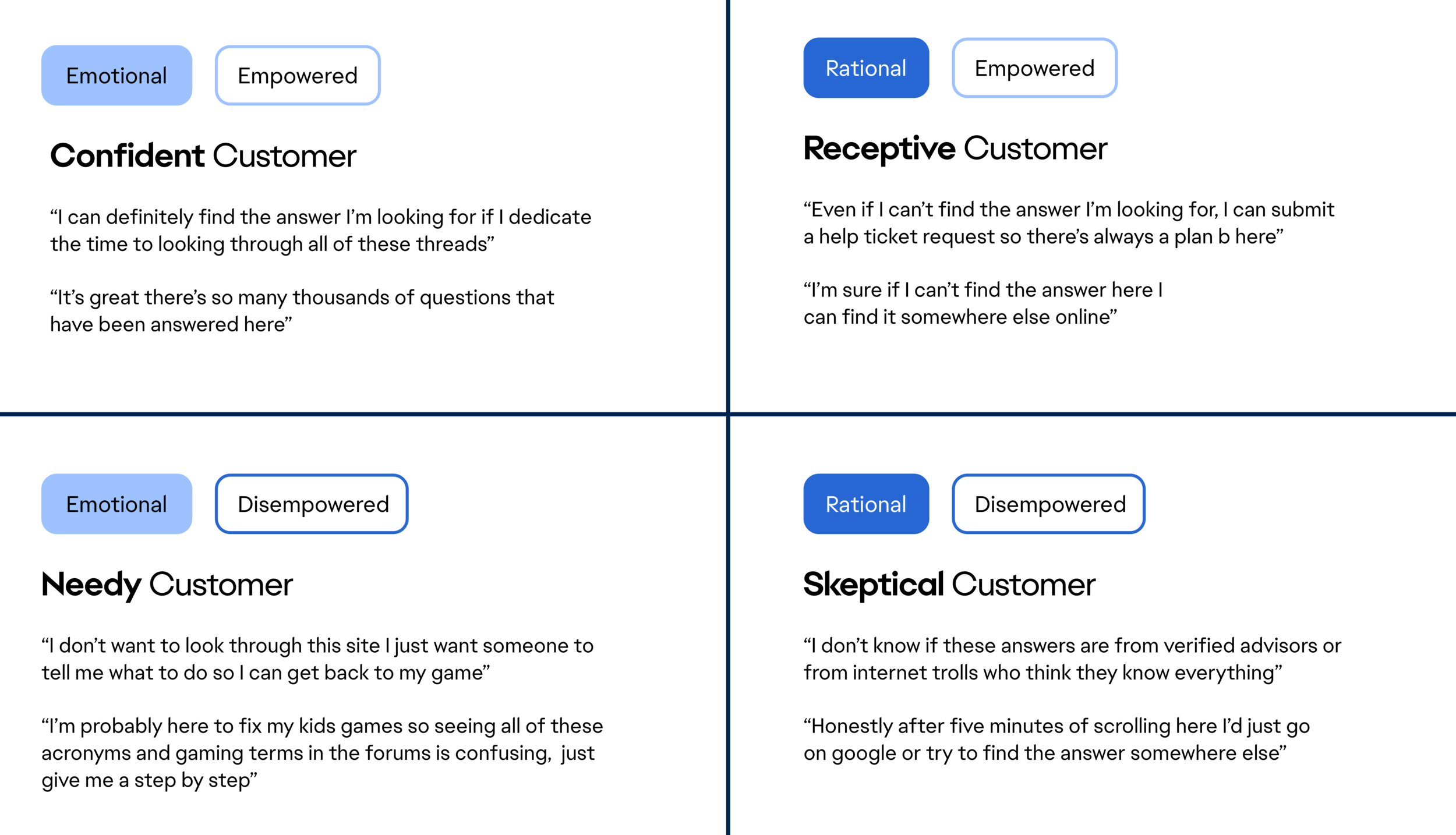
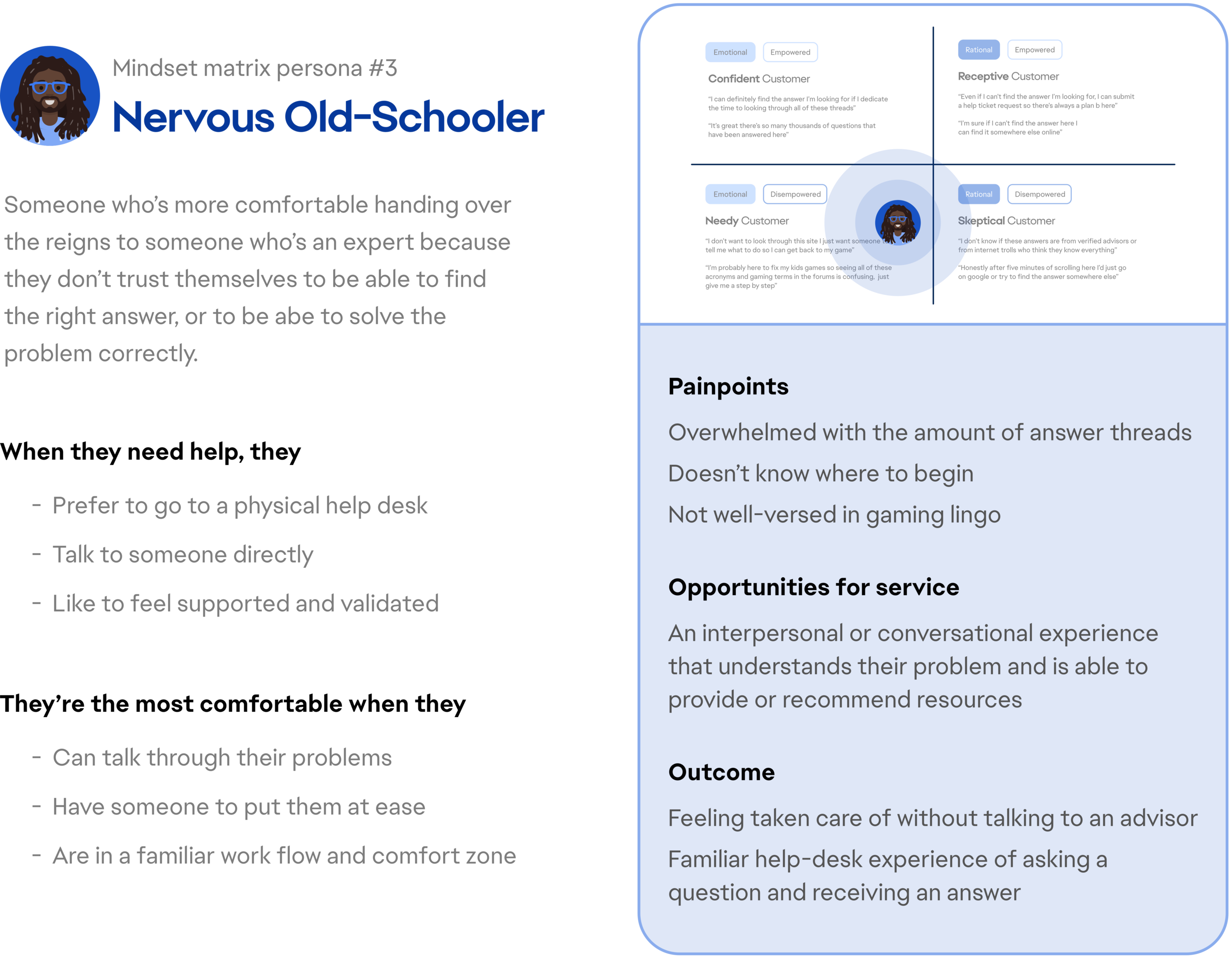
Persona mindset matrix example
We saw elements of the “Nervous Old-Schooler” mindset throughout our interviews whether it was a player, or the parent of a player.
This user tends to scramble to find help as soon as possible, but is overwhelmed by the idea of a self-service help experience.
Our team identified this mindset as one of the most likely to leave the self-service tool quickly, and without an answer.
Contextualizing this mindset’s behavior and attitudes throughout the help seeking process helped us to determine opportunities for features that would best engage them, identify their specific painpoints, and predict the outcome of their experience.
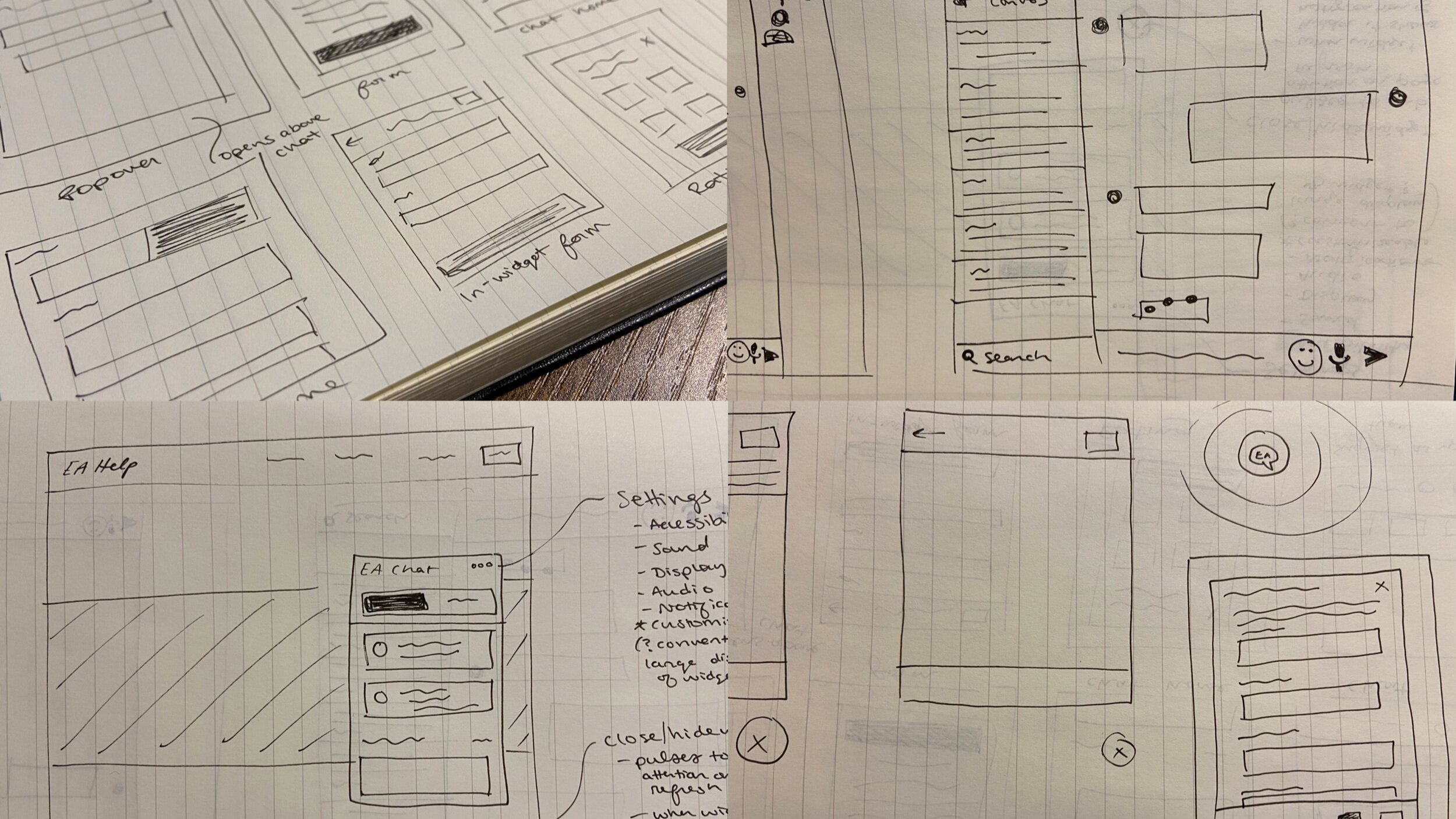
Ideation: an AI powered chatbot and resource search tool
Customers receive immediate, multi-lingual assistance 24/7 for issues that EA’s back-end algorithms can pull from EA’s answer forums.
This way, only requests that warrant the involvement of an advisor are routed to them.
We found that there is little deviation between chatbot products on the market since there is a heavy user expectation of how these interfaces operate. So the amount of room for a unique UI approach for chatbots was small from the “standards”.
Our team followed the underlying principle that the chatbot should be additive to world-class customer support.
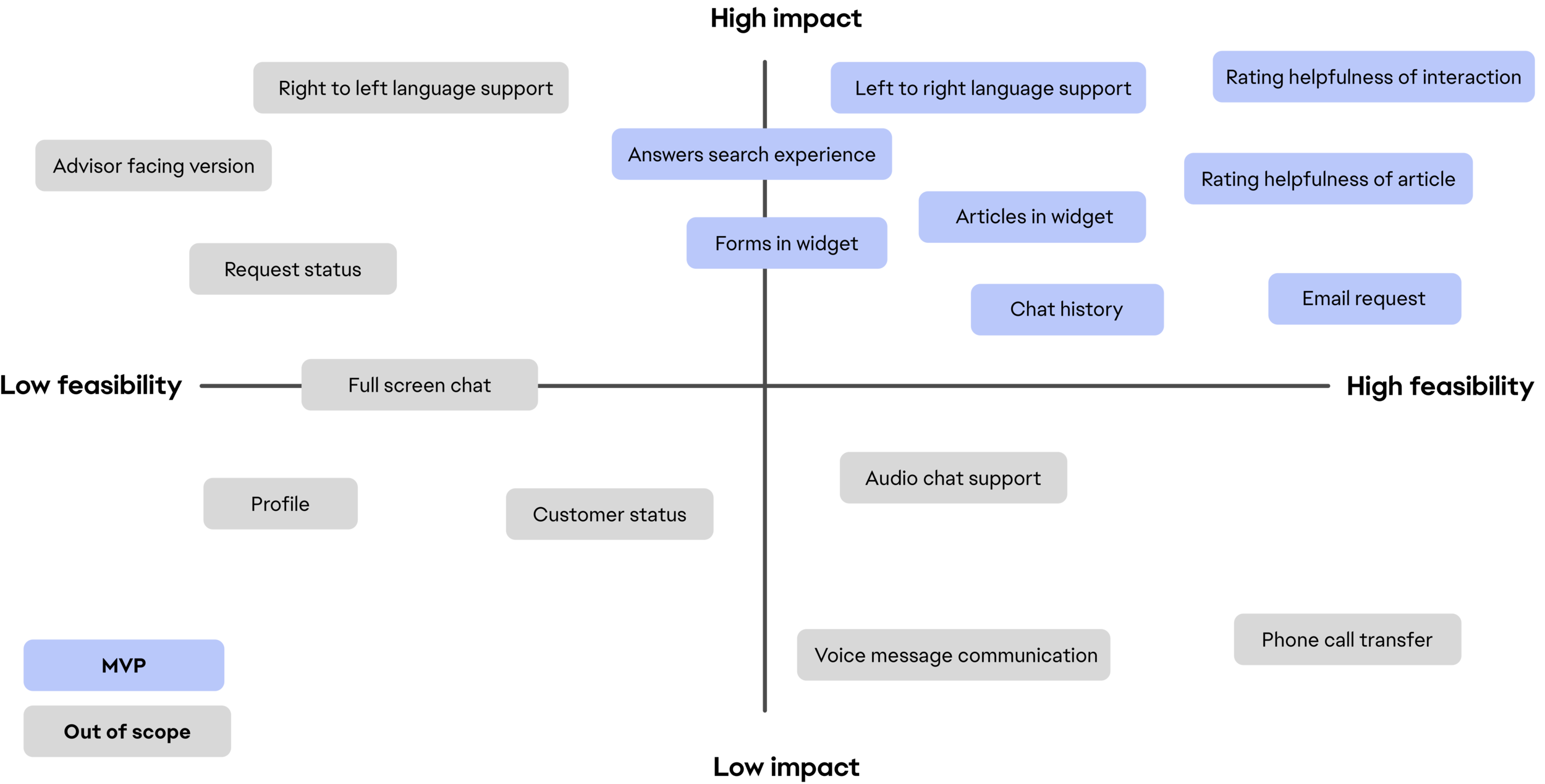
Feature prioritization
There was a long list of features we put together to help our users find the answers they were looking for in a comprehensive chatbot widget experience.
With a limited summer timeline and technical constraints, we created a matrix to decide which features would make it to MVP.
Journey map
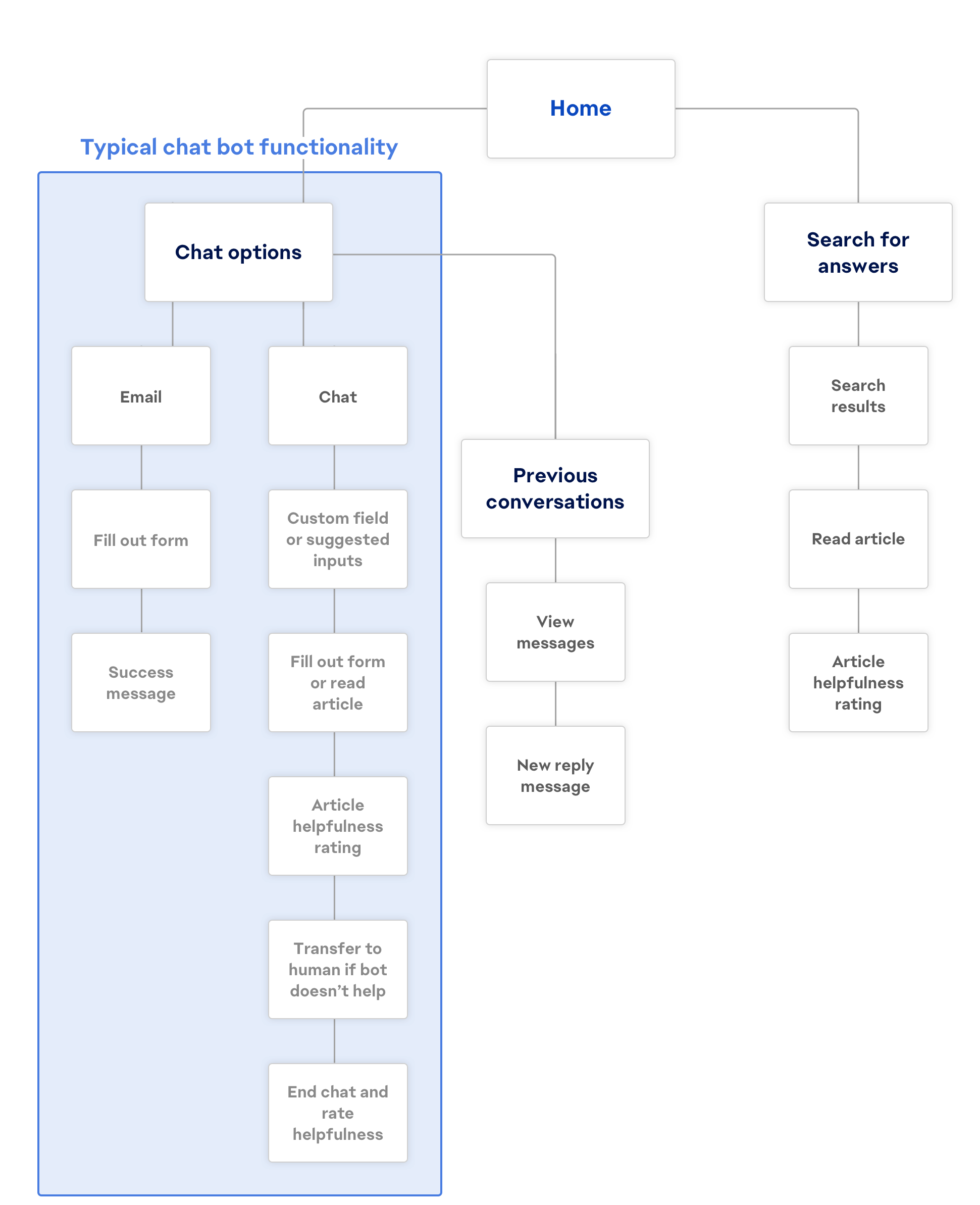
In response to the demand for improved search success rates and reduction in the overwhelming number of requests coming in for advisors, we mapped out a chatbot that lets customers browse answers found on EA’s forum, alongside standard live chat functionalities.
This diagram shows how our chatbot differs from the functionalities typically associated with chatbots in the industry to fit the needs of the help desk.
Validating designs via A/B Testing and wireframing
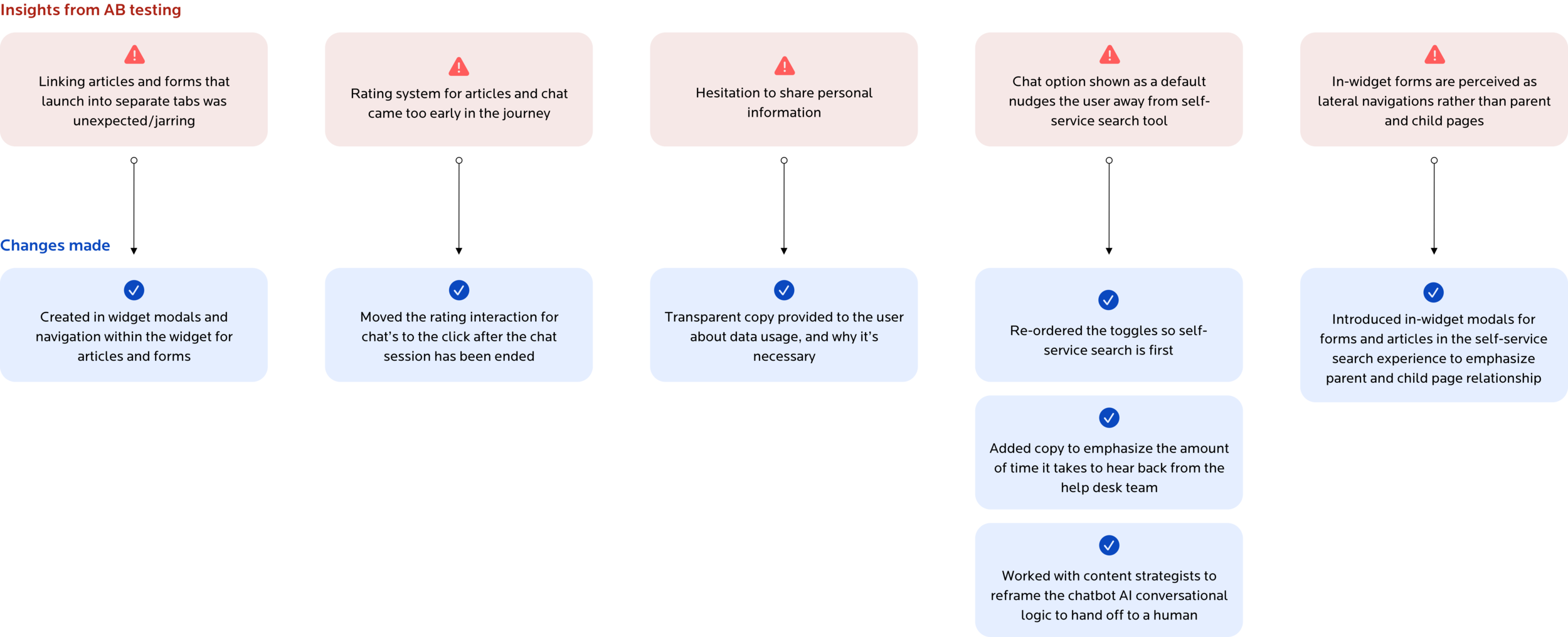
We conducted AB user testing throughout our low-fidelity wireframing process to determine whether the features we had prioritized and designed for were working for our users.
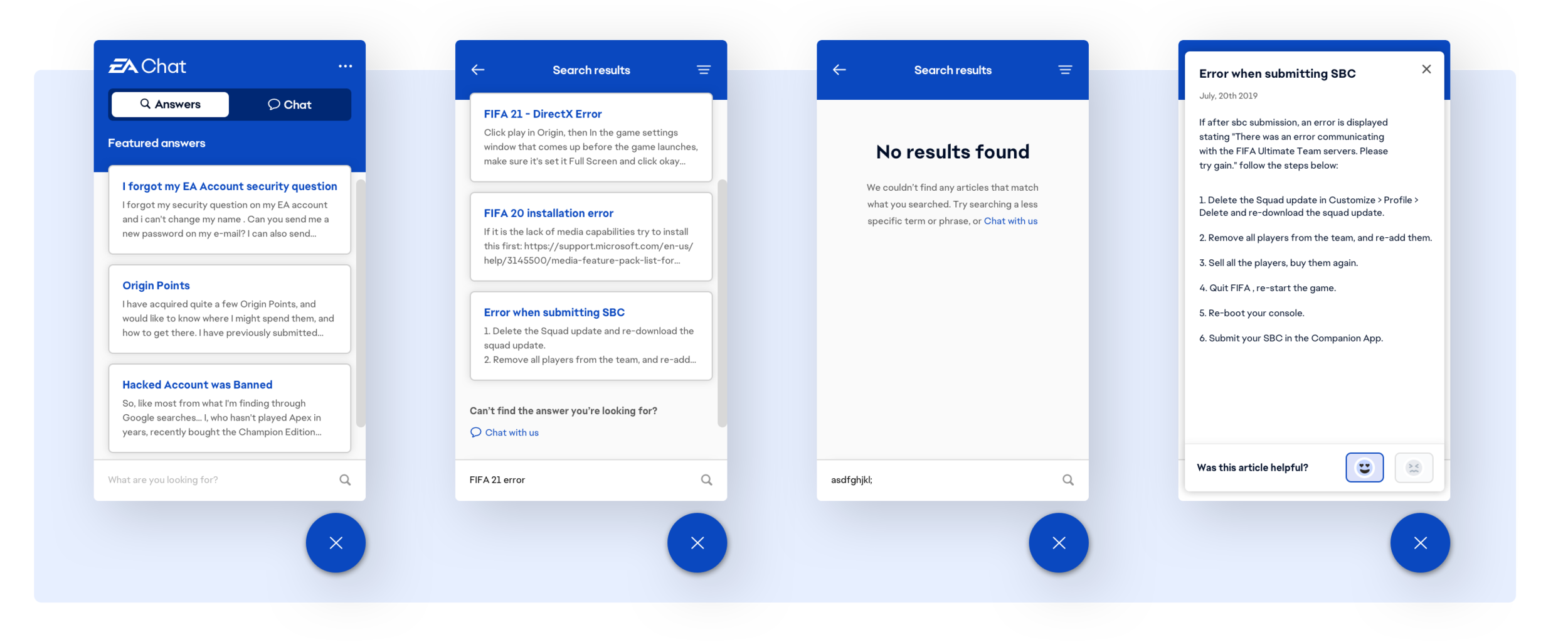
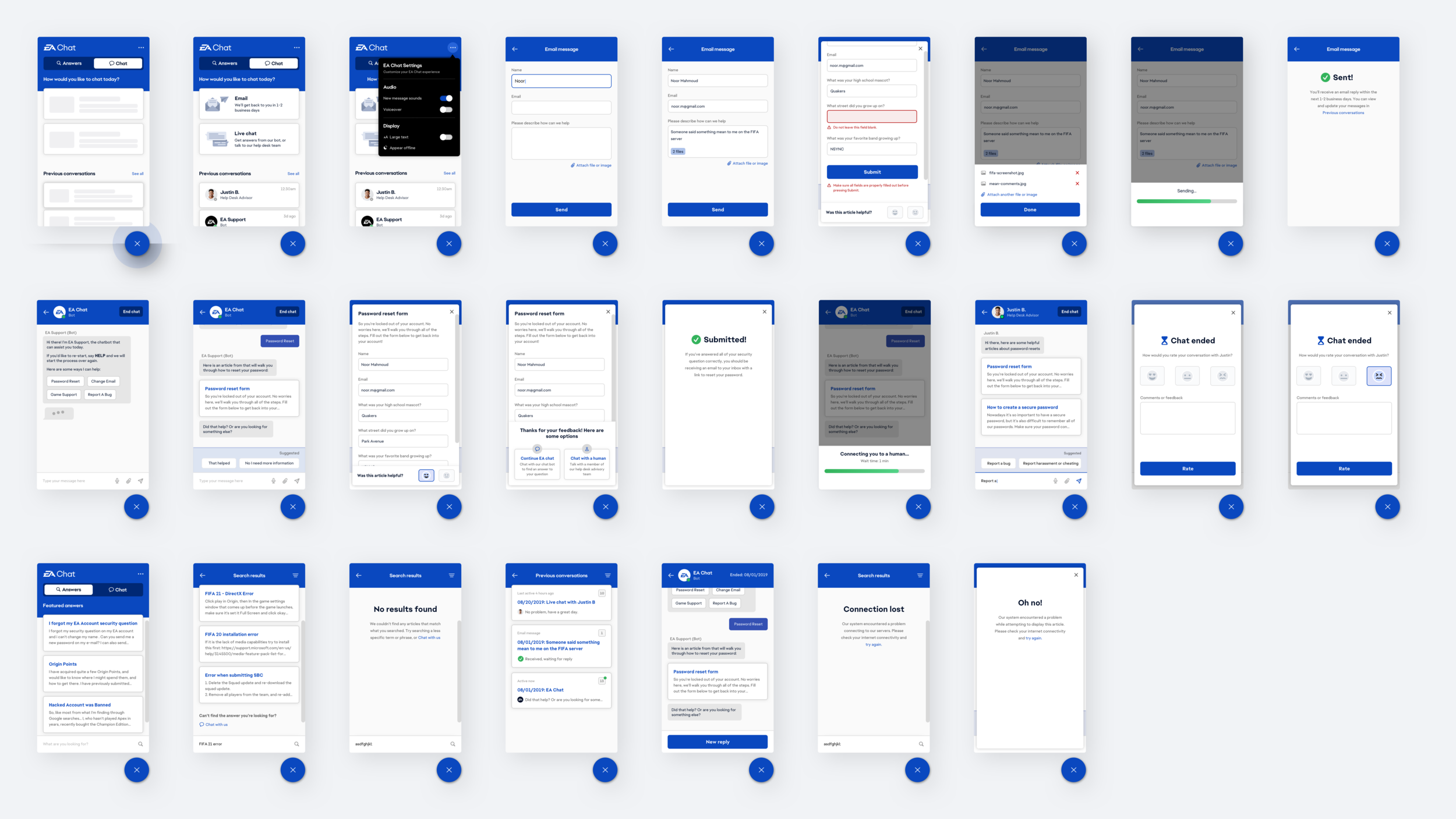
EA Chat self-service search (Answers toggle)
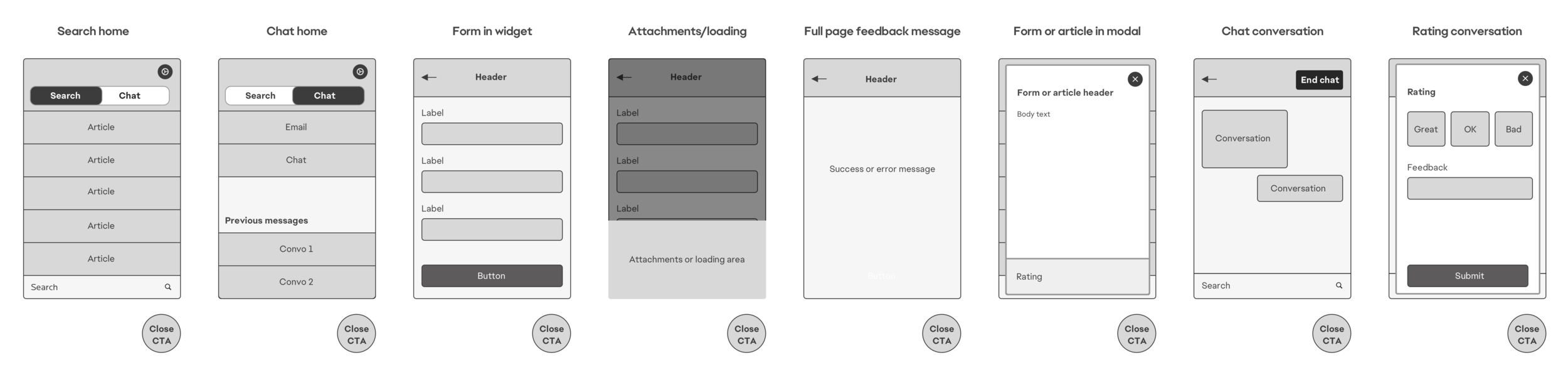
Since there were two primary journeys our customers were looking to follow, we created a tabbed view for the chat UI where users could navigate between a search experience and a live chat experience.
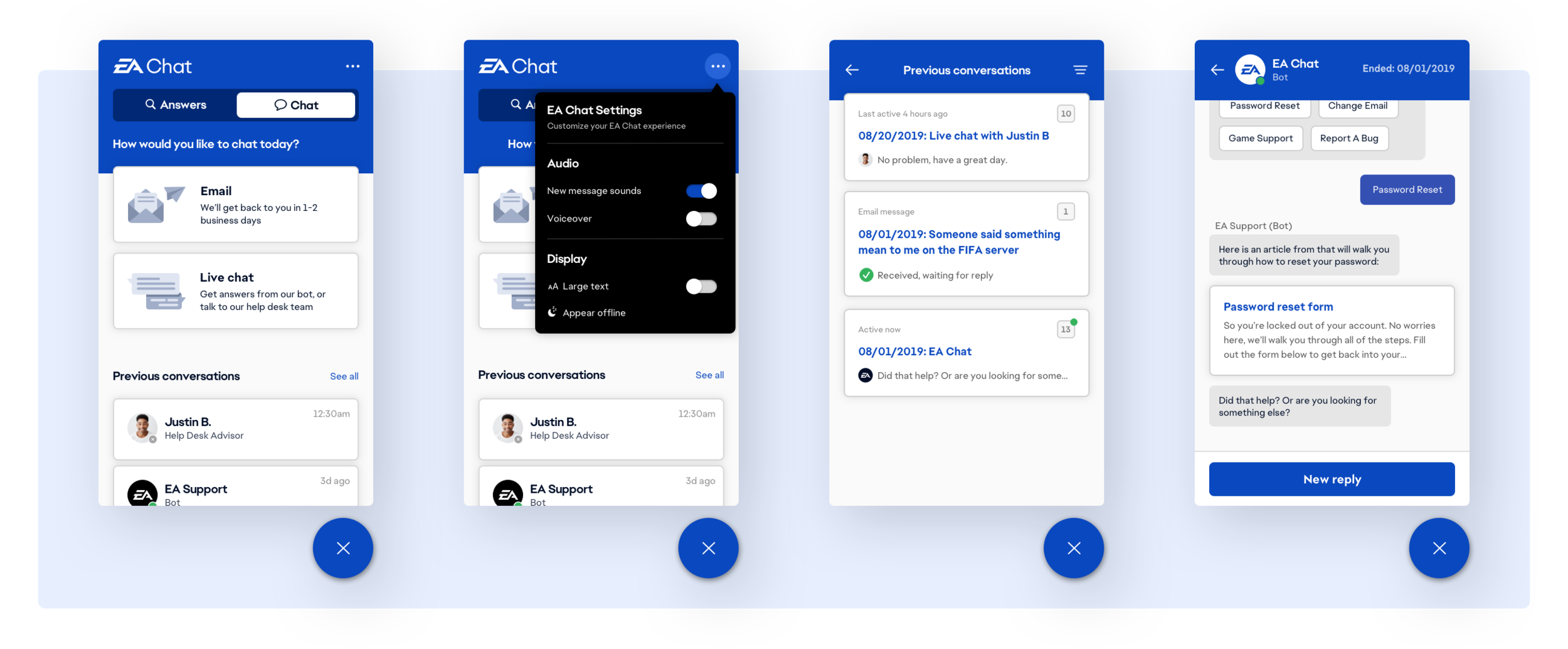
EA Chat (Chat toggle)
The Chat tab prompts the customer to decide between immediate assistance and email assistance, depending on the time sensitivity of their inquiries. An archive of previous conversations are also stored here so users can reference or reopen threads depending on their needs.
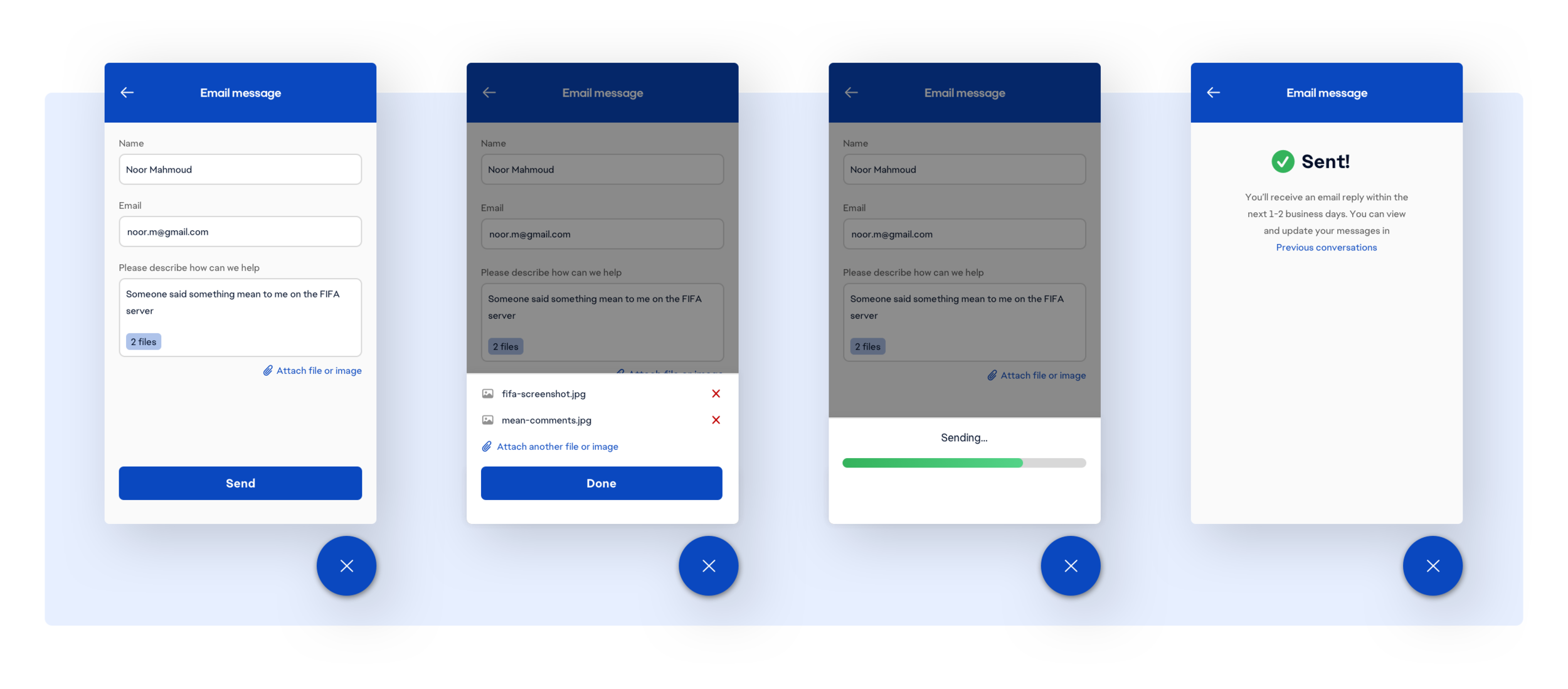
Submitting a form
An example of a form existing in the chat widget is when the user selects to reach out to the help desk team via email. I built several states, including attached file previews, error, success, and submission processing.
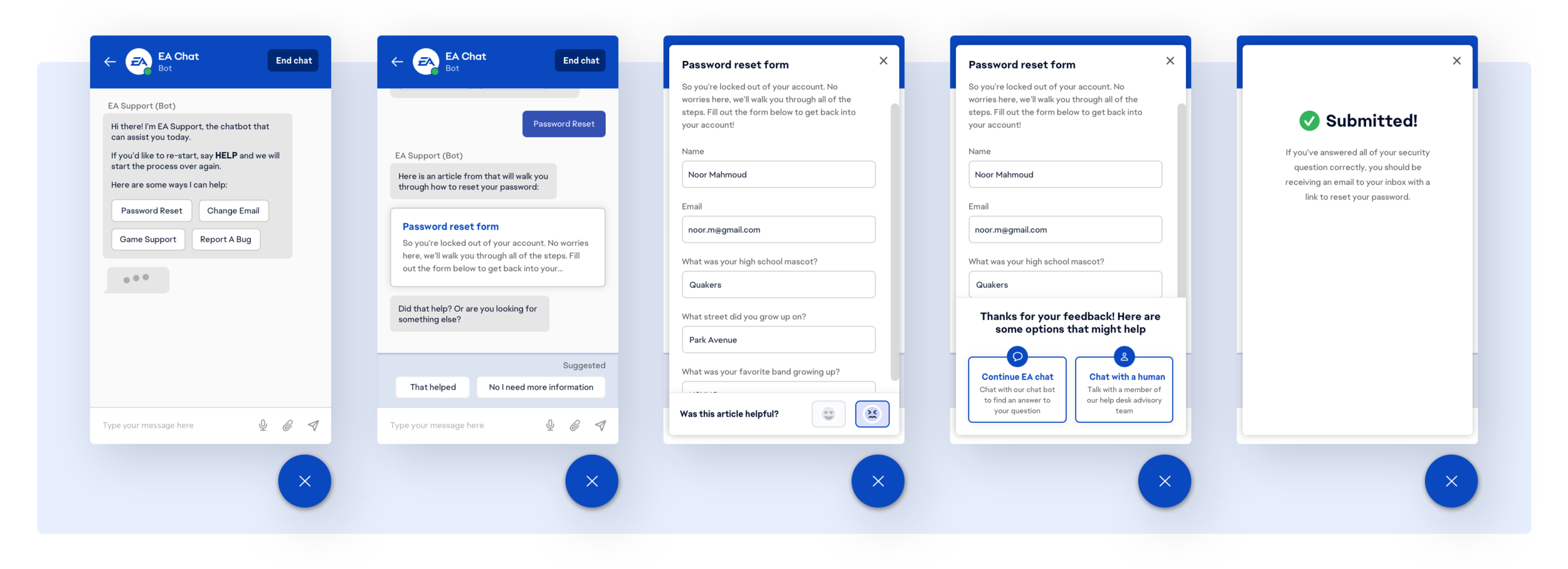
Chatting with the chatbot
We moved forward with the concept of elevation for opening forms and articles in the chat UI.
With modals it’s clearer to the user that when they exit they will return to the chat, rather than hitting the back button a few times and accidentally navigating backwards out of the chat and onto the EA Chat homepage.
We also included small feedback elements to collect data on whether an article or form was relevant to the user, using this to improve our backend AI solution.
Chatting with a human
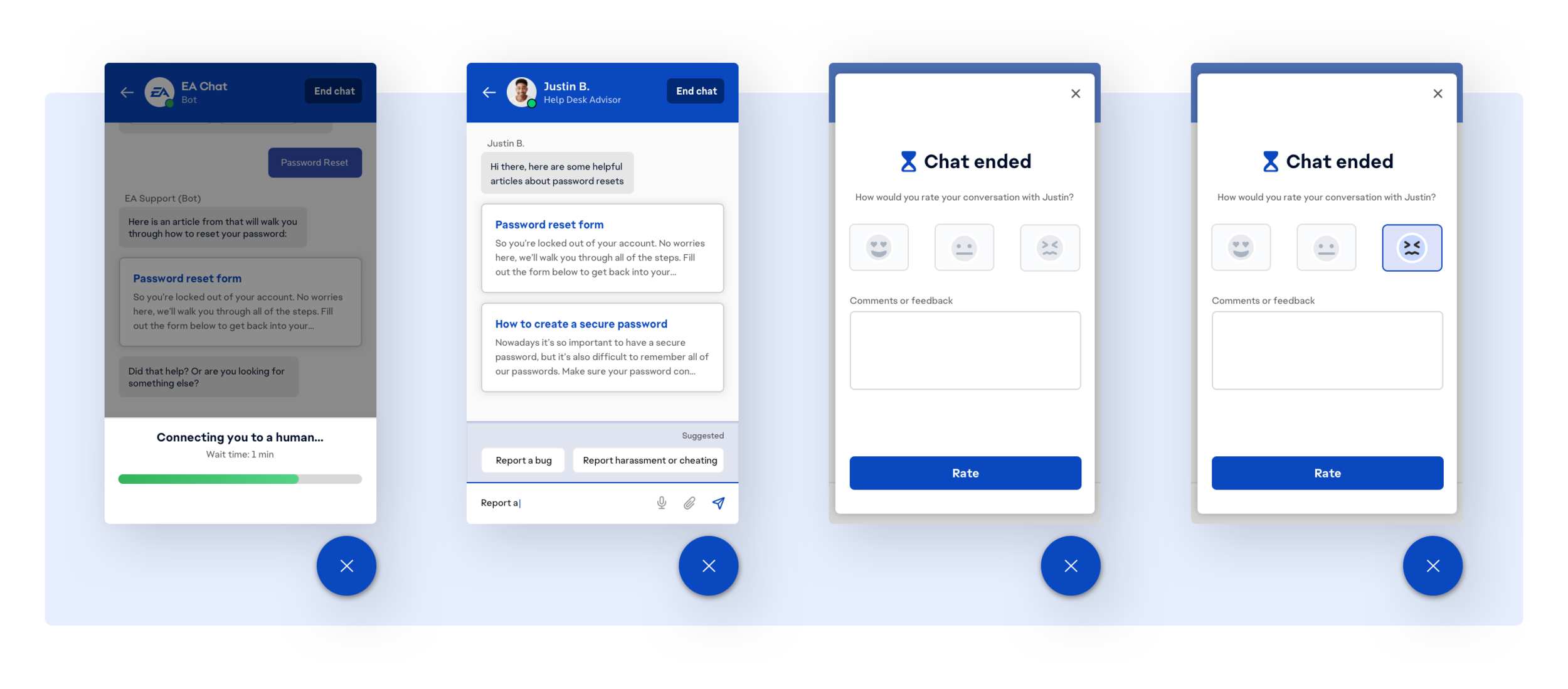
If EA Chat cannot properly address a customers requests, the customer is routed to a help desk advisor. And upon completion of the interaction we also display a survey via modal about the success of the interaction.
Designing for a mobile responsive experience
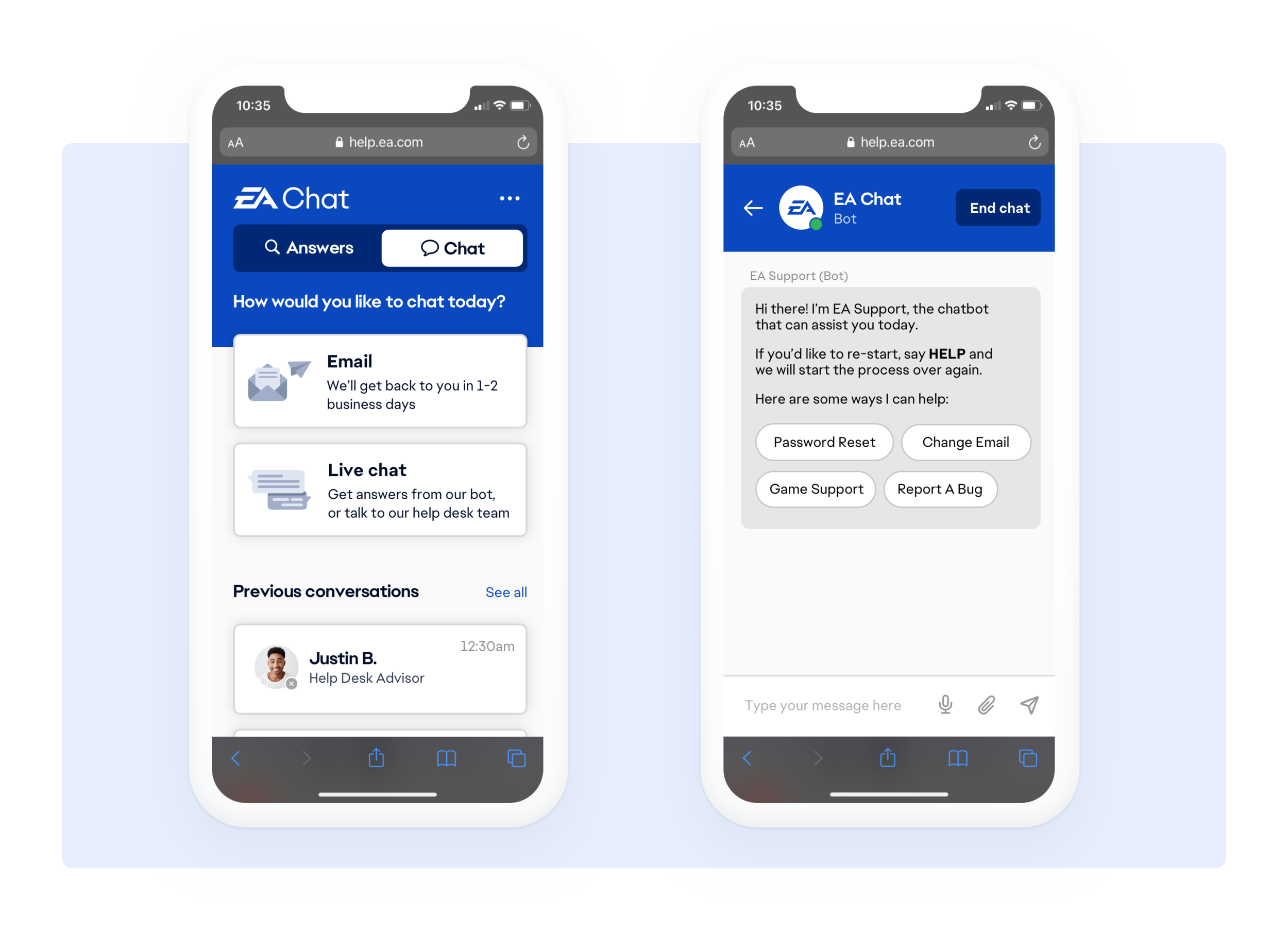
Since a large portion of EA’s site traffic was from mobile devices, we asked our users during the interview process how they would typically access EA’s help site.
Nearly 40% of our users cited the ease of pulling a site up on their phone while playing a video game on their TV since their phone tends to be more readily accessible than their computer. Bearing this in mind designed the chatbot with a mobile friendly approach.
Exit testing
Using Invision to test the chatbot interface, and Google’s DialogFlow to test the conversational logic, I tested the redesigned experience with 8 of the original users I had interviewed to see if there were any more opportunities for improvement.
The result was an increased success rate, low abandonment rate, and low rate of routing requests to help desk advisors.

What now?
The chatbot is now a fixture of help.ea.com. It was also repurposed by my team to create an in-game feature for PC players to chat with the help desk. The team got to leverage cool API’s like Google’s Perspective to determine whether a player might be violating community guidelines with language that’s considered bullying or harassment.
Interested in my work on the development side?
What did we consider?
We needed to determine how the chat would integrate with the EA tech stack— how might we build an agnostic interface, how could the chatbot pull articles our answer forums and add store feedback for reporting? All while still keeping the human conversational touch.
Our design team worked with back-end engineers, product managers, and architecture leads every step of the way— making sure our designs and build were feasible while still remaining in scope for MVP.
This was a streamlined process because I bridged the gap between our research, design, and engineering teams.
How did we build it?
This interface was built using HTML, CSS and JQuery. We were able to integrate and train the back-end AI (Google’s DialogFlow) with EA’s existing tech stack and products— EA’s answer forum, the advisor omnichannel, the help desk website, internal reporting software, emails, and permissions.
Figuring out back-end compatibility was the biggest challenge of the chatbot since it required such deep integration with so many of EA’s existing tech stack and products.